FileTask – tasks are just files
A native Apple todo app I designed and built, where every task is a plain Markdown file that any editor or AI agent can read.
Why I built it
I keep my notes in Obsidian, a notes app that stores everything as plain Markdown files – years of thinking that any editor can open. My tasks lived somewhere else: inside whatever app I used that year, in a format I couldn’t touch, behind an export button I’d only need on the day the app shut down.
That split stopped making sense once AI became the main way I work with my own data. In my notes, Claude reads sources, sorts web clippings, writes atomic notes and fixes backlinks, with no integration at all, because the notes are just files. My tasks were invisible to all of it.
So I built FileTask, a native Apple todo app (macOS, iOS, iPadOS) where every task is a plain Markdown file in a folder I own. There’s no server and no account, and nothing to export, because the files are the data. The same file opens in Obsidian, vim, VS Code, or the app, and they all agree on what it means.
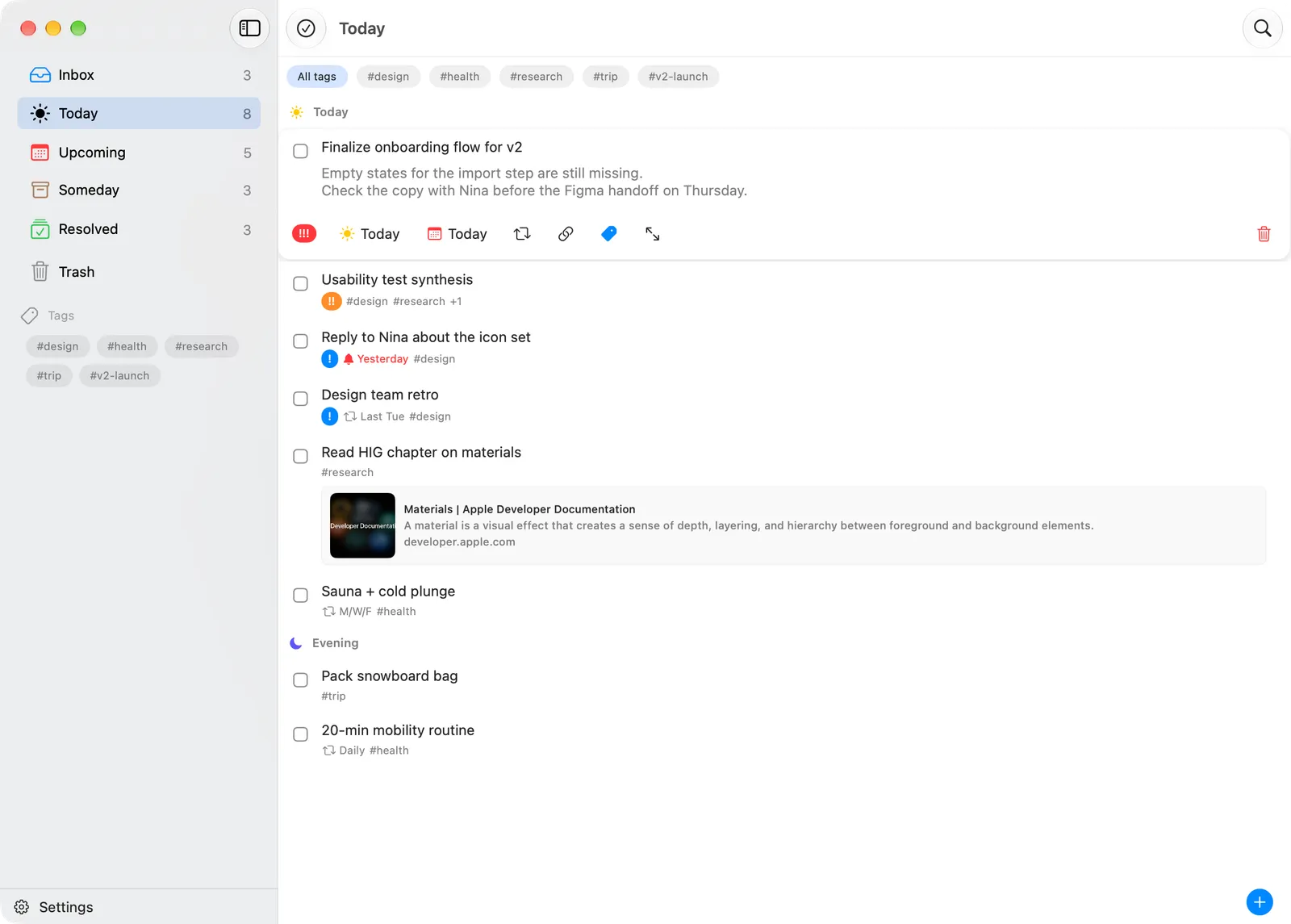
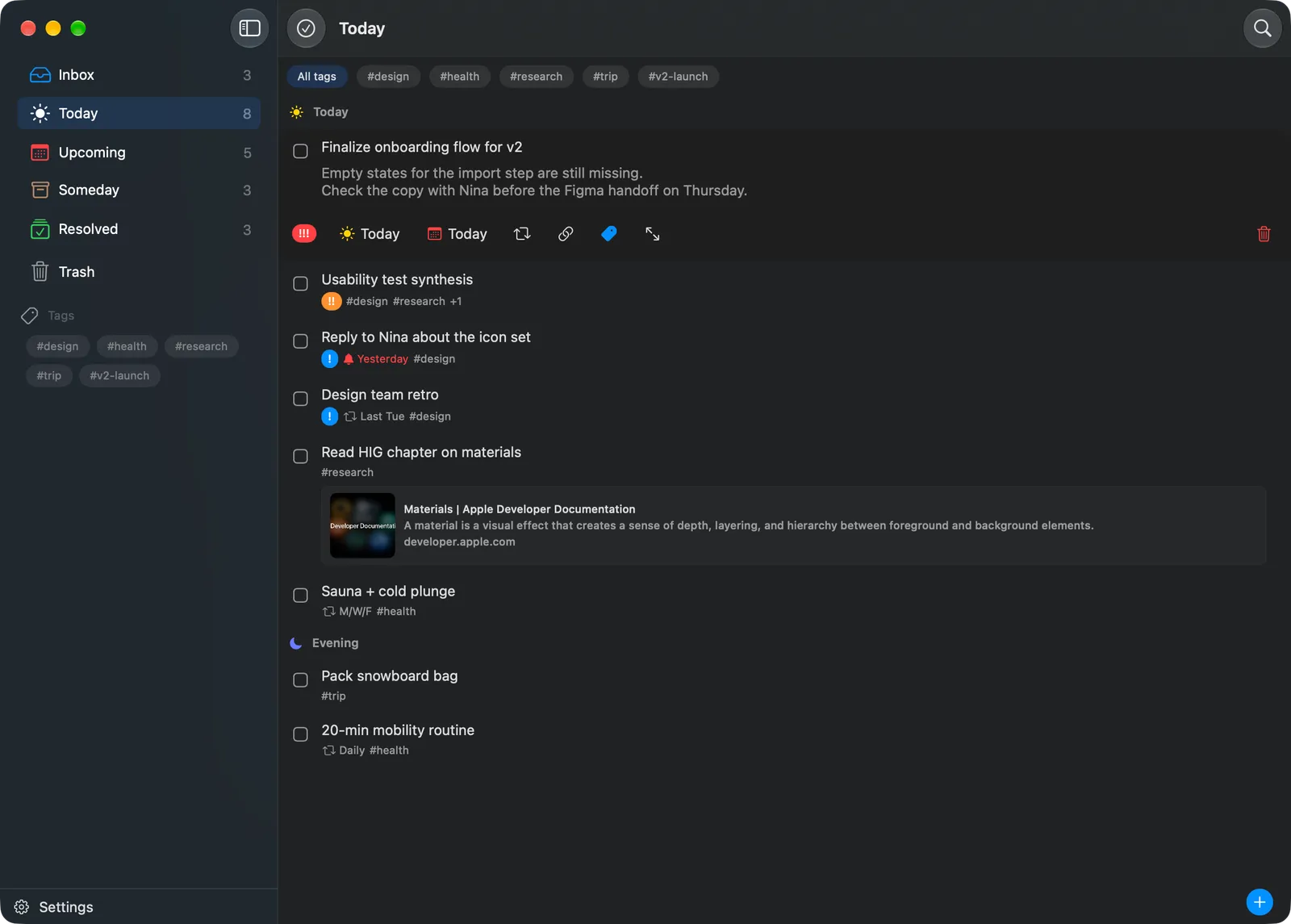
I built it for myself, with no plan to sell it. It’s also how I’m learning to build software properly with AI.
By July 2026, it held 2,386 real task files, because I’d run my whole life on it since the first week. Under the hood: 689 commits, roughly 33,000 lines of Swift 6, 632 tests, 85 architecture decision records (ADRs), zero third-party dependencies.
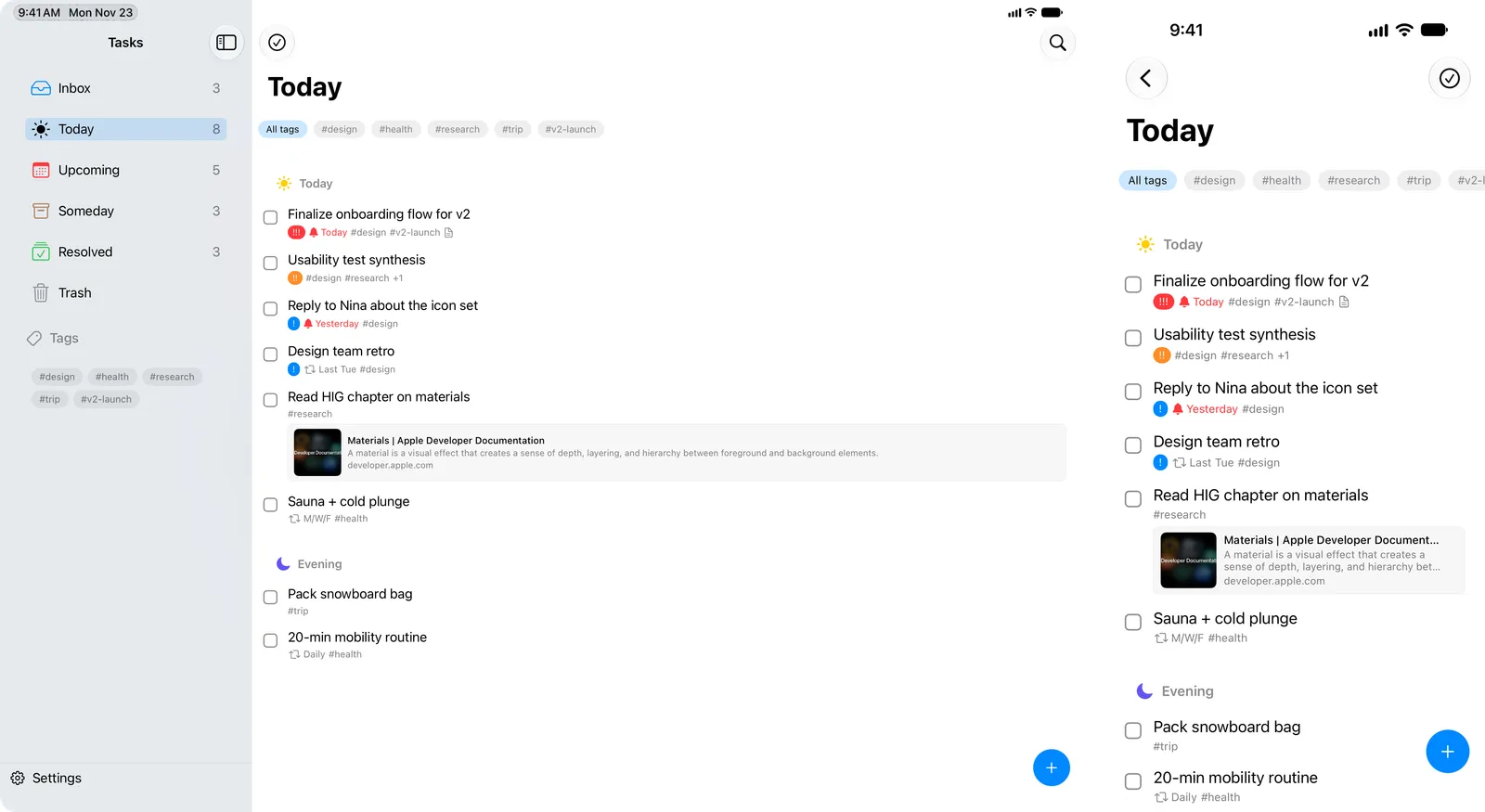
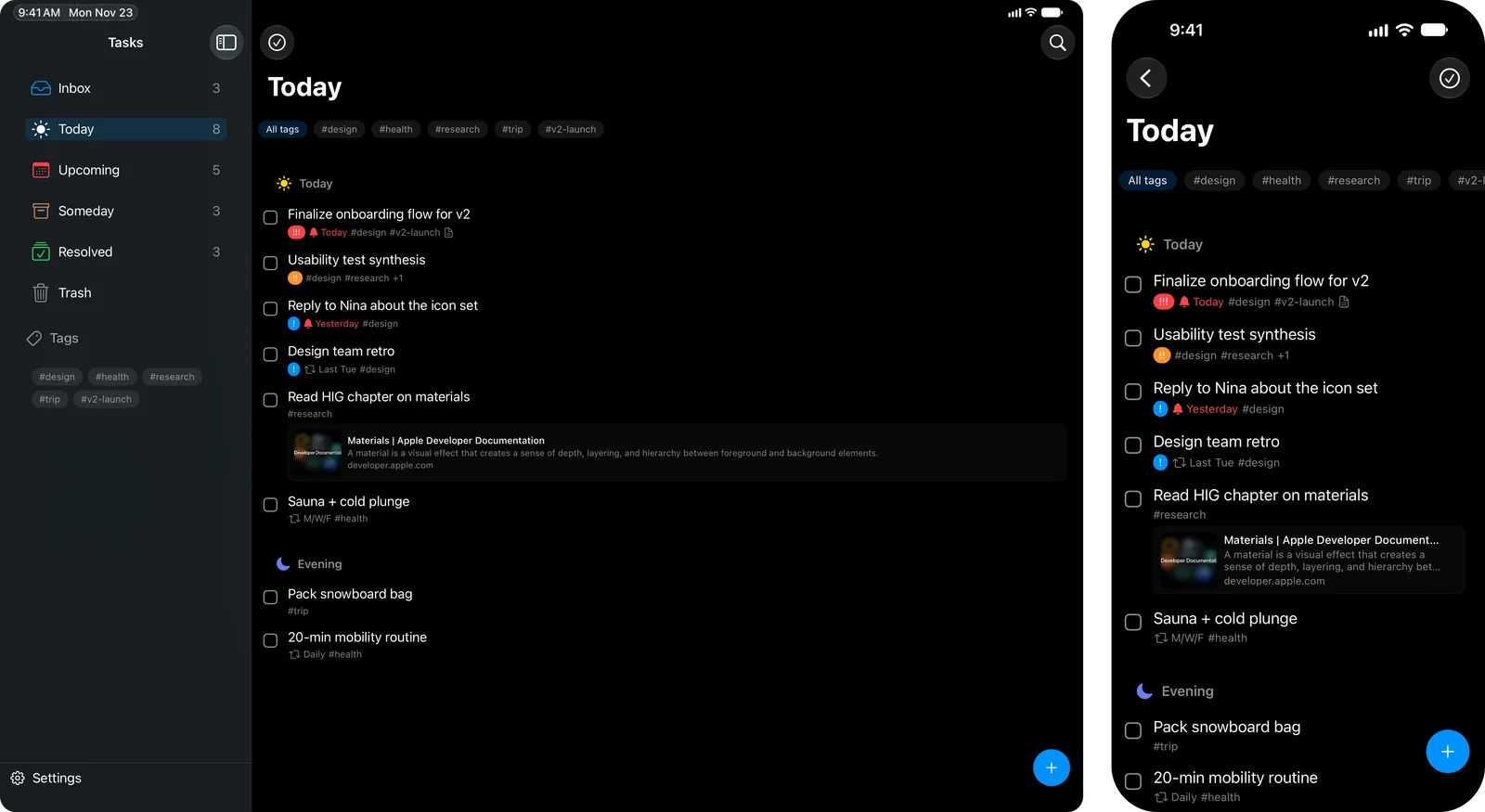
Files are the truth, the database is a cache
Most apps treat the database as the truth and files as an export. FileTask flips that. The rule is written down in a decision record, and the code is audited against it:
Markdown files are canonical. The SQLite cache is fully rebuildable from files. – ADR-0015, “Files Are the Source of Truth”
The cache is there for speed, so the app can query a few thousand tasks without re-reading the folder on every keystroke. Delete it and the app rebuilds it on the next launch. Because the files hold the truth, edits made outside the app are the normal case. Change a task in Obsidian and the app picks it up. Change it in the app and Obsidian sees an ordinary Markdown edit.
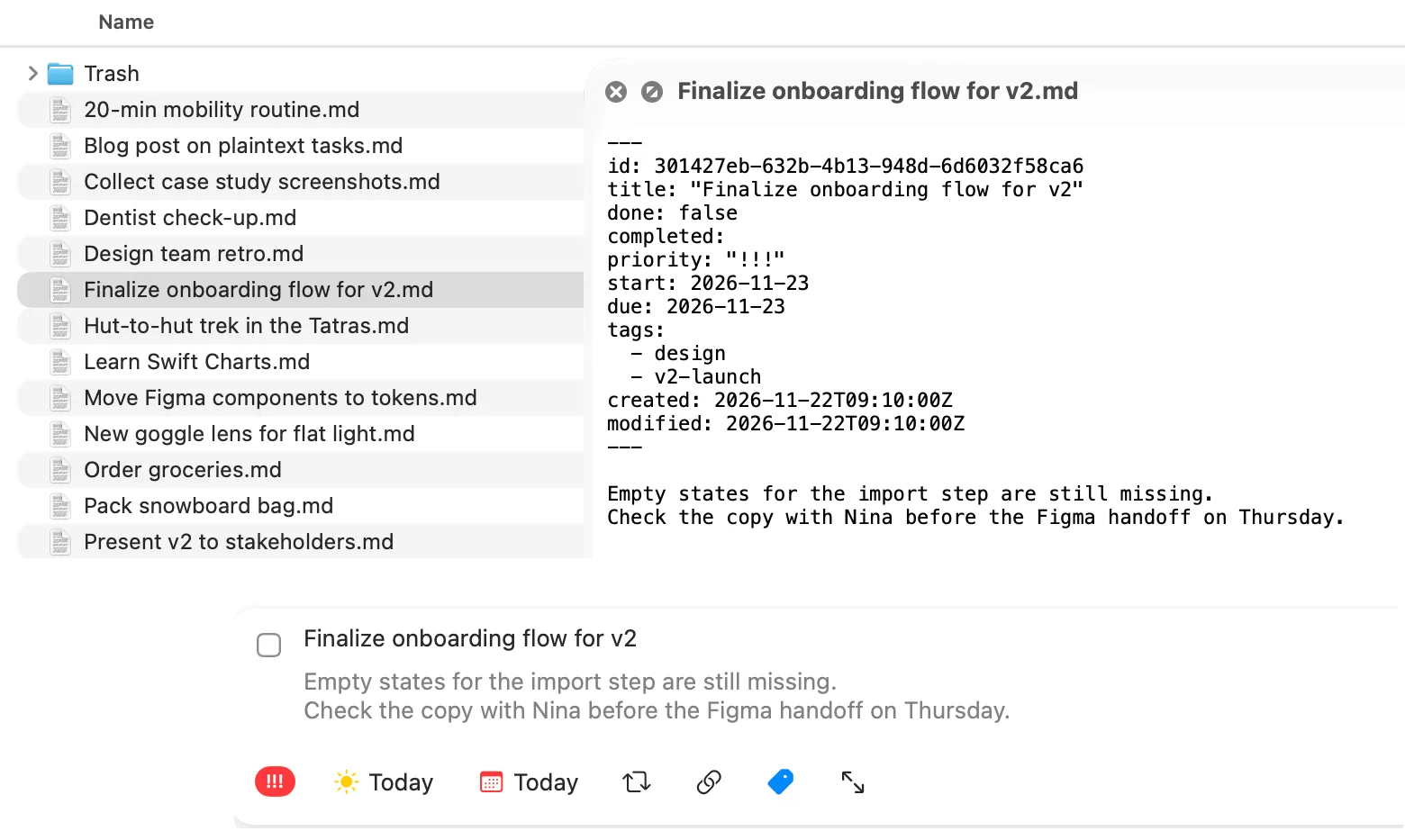
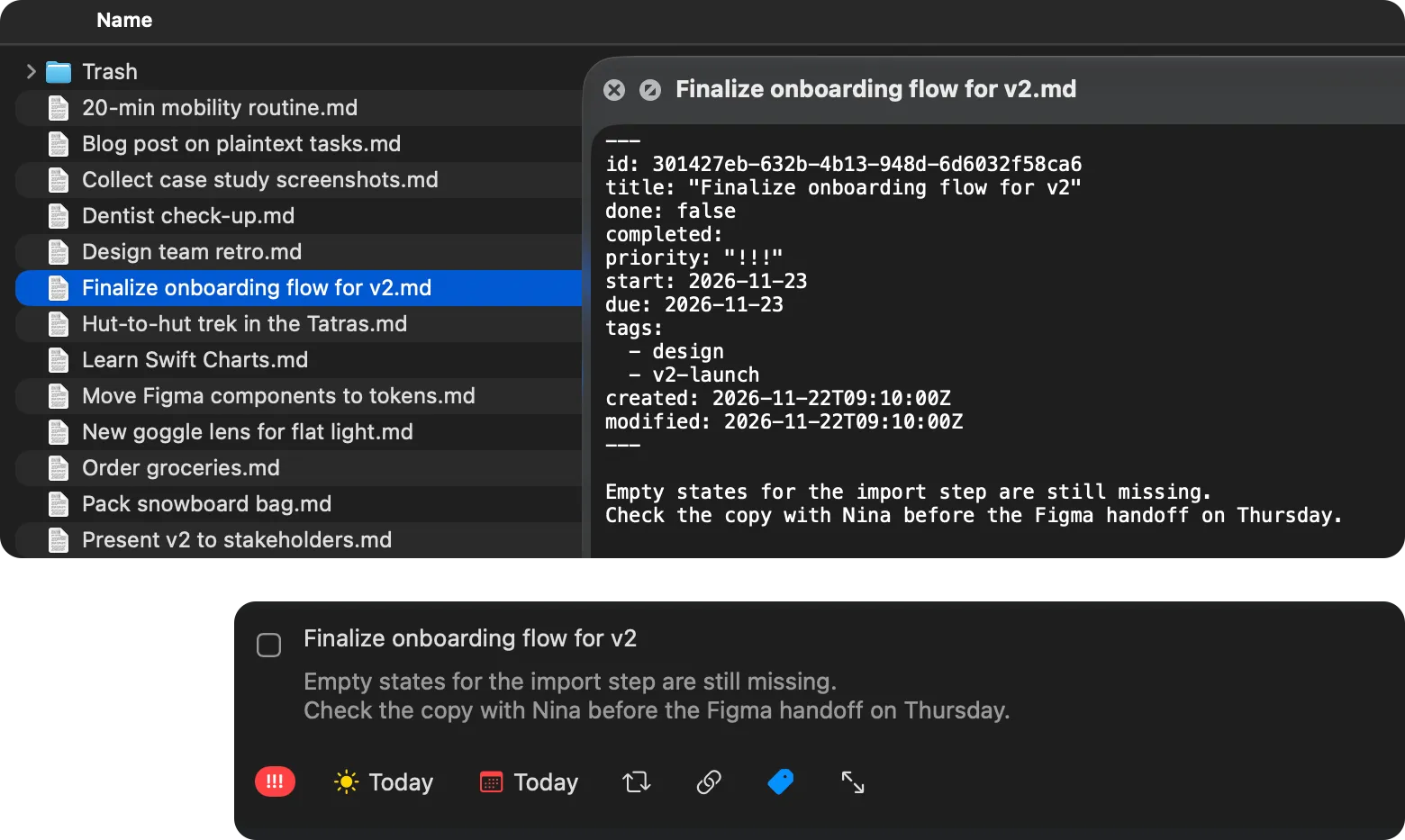
A task looks like this, with its fields in a YAML header above the text:
---
id: 8a3f9c2d-1e4b-4f6a-9d2c-7b8e5f1a3c4d
title: "Review quarterly budget report"
done: false
priority: "!!"
due: 2026-08-22T17:00:00Z
tags:
  - finance
  - work
created: 2026-08-16T09:30:00Z
modified: 2026-08-20T14:22:00Z
---

# Description

Need to **analyze Q3 numbers** and prepare recommendations
for the board meeting.
You can read it without documentation. That was the requirement everything else had to bend around.
Format decisions are design decisions
Most of the design work in this project happened in the file format. Every choice there had the same shape as a UI decision: who reads this, what do they need to understand, and what does it cost?
What goes in the filename. Early on, priority was a filename prefix (!! Fix deployment bug.md), visible at a glance in Finder. It felt right and it was wrong. Every priority change became a file rename, and a rename costs 100–500 ms locally and 1–5 seconds on iCloud Drive. Now the filename holds only the title, which rarely changes, and everything that does change lives in the YAML. A priority change takes 5–20 ms.
What a date means. due: 2026-10-09 looks trivial until the app converts it through UTC, you fly from Prague to Los Angeles, and your October 9 task shows up on October 7. The fix separates two kinds of time. A date without a time is a plan and floats (“October 9 wherever you are”). A date with a time is an event and stays pinned to UTC. One rule and one midnight check in the parser, and dates no longer move when I travel.
How repetition is written. The standards-correct answer for recurring tasks is RFC 5545 RRULE, where “last Tuesday of the month” is FREQ=MONTHLY;BYDAY=-1TU. Correct and unreadable. FileTask uses a structured YAML schema instead:
recurrence:
  enabled: true
  frequency: monthly
  interval: 1
  monthlyOrdinal: last
  monthlyDayType: tuesday
The decision record puts it plainly: the verbosity is the point. Anyone or anything reading the file understands the schedule without a spec. The cost is no interoperability with calendar files (.ics), and the record says so. One detail I’m fond of: there’s no mode field. An anchor date means “repeat on the calendar”, and no anchor date means “repeat after I complete it”.
A format that forgives
If hand-editing is the main path, the parser has to tolerate hands. A file created in Obsidian without an id gets one generated and written back on the next scan, and from then on it’s a normal task. A missing title falls back to the filename, the way Obsidian treats notes. Unknown YAML keys survive a round-trip untouched, so fields from Obsidian plugins, or anything an LLM adds, aren’t lost when the app saves.
Saving is just as careful. The app never blindly overwrites a file. It re-reads it from disk, applies only the fields you changed, and keeps everything else, so an edit made in another editor a moment earlier survives.
The payoff: the AI works like any other app on the folder
My tasks folder has its own Claude commands sitting next to the task files. They’re plain-language instructions, with no code and no API:
Scan the tasks folder (top-level .md files only).

Filter to actionable tasks: `done: false`, `someday`
absent or false, `start` date today or earlier.

Sort by priority (`!!!`, `!!`, `!`, `-`), then oldest first.
Pick 3–5 tasks for today. Aim for variety – urgent
deadlines, work tasks, and personal quick-wins.
Every morning an agent plans my day by reading the same files the app shows. Another command goes through my someday pile, and its instructions read like a product brief: “the goal here is not to guilt-trip, but to surface tasks where conditions have changed”. A task with a URL is quick to consume, travel ideas come back in spring, and indoor projects in winter.
None of this needed an integration, because there’s nothing to integrate with. The app and the agent are peers on the same data, and the task system joined my existing note workflows for free, just by being files.
The app itself doesn’t call any AI. When I want a new AI workflow, I write another instruction file in the folder, and the app doesn’t change at all.
How I built it without being a developer
I can’t build production systems from scratch, so FileTask looks like a contradiction. Here’s what changed and what didn’t.
Claude Code wrote most of the syntax. The architecture is mine, down to decisions like which layer owns the truth and what the app may change in a file it didn’t create. I worked one level above the code: I specified in detail how the system behaves and left the individual lines to the AI, the same way the black-box tests below check behavior without looking inside.
The decision records exist because “the AI wrote it” is no answer to why something works the way it does. What I learned is that a solo designer working with AI doesn’t mainly need coding skill. They need the discipline a team would otherwise provide:
- Decisions are written down and enforced. All 85 ADRs name how they’re enforced: a contract test, a runtime guard, or a text search with an expected hit count that an audit script runs. The house rule: “An ADR without enforcement is a hope, not a guarantee”.
- Review is layered by cost. Cheap automated text checks run first. AI review agents are saved for structural judgment, with a second, adversarial pass that tries to disprove critical findings before I trust them.
- Tests are black-box. They verify what’s on disk with the real parser, never private state – 632 of them, because hand-editable files multiply the ways things can go wrong.
- Performance claims need receipts. When bulk saves stalled for 36 seconds, I measured before changing anything. The write itself took 28 ms, and the rest was one overloaded actor. The performance log ties numbers to builds and dates, and records the result that matters most: “yes, it feels responsive finally”.
That harness is the part of this work that transfers to any design job. Taste applies to schemas and decision records the same way it applies to screens.
What it cost
Keeping the folder open to any editor had a price. The macOS app runs outside Apple’s sandbox, which rules out the App Store, so I install it from a signed disk image. iCloud Drive pushed back as well. Files it had offloaded could stall the app for 30 seconds, and sync conflicts needed a banner that lets me pick which version to keep.
What changed in how I design
Data formats are interfaces. They have users, from me in vim to the app’s parser to an AI agent planning my morning, and they deserve the same design attention as any screen.
Ownership compounds. Every tool that reads Markdown, today’s or tomorrow’s, is a feature FileTask gets without shipping anything. If the app disappeared, those tools would still open every task.
What still separates designing from building is discipline. AI took away the syntax. What’s left is the work designers already claim as theirs – deciding what should exist, why, and what it costs – applied one layer deeper than we usually go.
I still use it every day, which is the only retention metric a personal tool has.